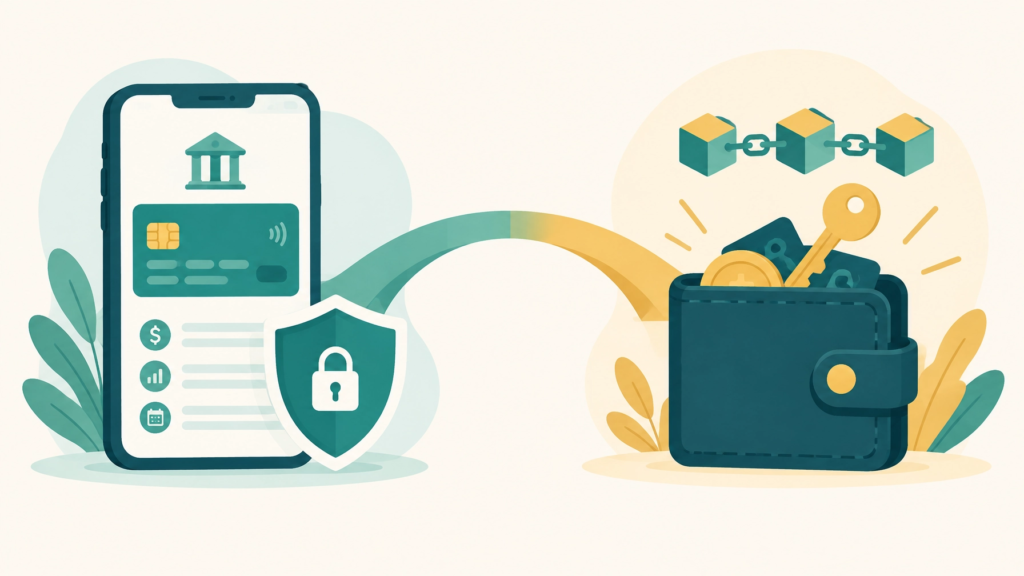

Digital money gives you more direct control over your assets. Instead of relying entirely on a bank or another company to approve every transaction, self-custody lets you hold the keys to your own digital wallet.
That control also comes with responsibility.
Two terms sit at the center of self-custody: seed phrases and private keys. They may sound technical, but the basic idea is simple. They are the secrets that prove you control a wallet. If someone else gets them, they may be able to move the digital assets connected to that wallet. If you lose them, recovery may not be possible.
This guide explains what seed phrases and private keys are, how they differ from a password or bank login, and how beginners can build safer storage habits.

What Is a Private Key?
A private key is a long, unique piece of information created by your wallet. It allows the wallet to approve transactions and prove that you have control over a specific blockchain account.
Think of it like the key to one locked mailbox:
- A public wallet address is like the mailbox number. You can share it so someone can send you something.
- A private key is like the key that allows you to open that mailbox and authorize outgoing transactions.
Your public address can usually be shared. Your private key should never be shared.
In many wallets, you will not see the private key directly. The wallet software manages it for you. That is helpful because private keys are long and difficult to write down correctly. However, the responsibility for protecting access still matters.
What Is a Seed Phrase?
A seed phrase, also called a recovery phrase, is usually a group of 12, 18, or 24 words created when a self-custody wallet is set up.
These words act like a master backup. Your wallet uses the seed phrase to create and manage one or more private keys. If your phone, computer, or hardware wallet is lost or damaged, the seed phrase may allow you to restore access using a compatible wallet.
That is why a seed phrase is more powerful than a single private key. A private key may control one account. A seed phrase can help recreate several accounts connected to the same wallet setup.
The words must be recorded in the exact order shown. One missing word, misspelled word, or incorrect order can prevent recovery.
Most importantly, a seed phrase is not meant to be entered into websites, forms, chat windows, or messages. It is an offline backup, not a normal login code.
Seed Phrase vs. Private Key
Here is the simplest way to remember the difference:
| Seed phrase | Private key |
|---|---|
| A group of recovery words | A long string of letters and numbers |
| Acts as a master backup | Usually controls one specific account |
| Can recreate related wallet accounts | Used to authorize transactions |
| Easier for people to record | Difficult to write and manage manually |
| Must be protected offline | Must also be protected offline |
If someone gains access to your seed phrase, they may be able to recreate the private keys connected to your wallet. That can put every related account at risk.
How Are They Different From a Password?
A wallet password and a seed phrase are not the same thing.
A password usually protects an app or device. For example, it may prevent someone who picks up your phone from opening your wallet application. In some wallets, the password also helps encrypt information stored locally on the device.
A seed phrase is different. It is the backup that can restore the wallet itself. Someone may be able to reset an app password, but a lost seed phrase may not be recoverable through customer support.
A password can often be changed. A seed phrase should not be casually changed, copied, or shared. If it is exposed, the safest response is generally to create a new wallet with a new recovery phrase and move assets to the new wallet after carefully checking the setup.
How Are They Different From a Bank Login?
A traditional bank login connects you to an institution that manages your account. If you forget your password, the bank may verify your identity and help you reset it. The bank also controls the systems that hold and transfer the money.
With self-custody, your wallet gives you a way to control blockchain-based assets directly. There may be no central company that can reset your seed phrase or reverse an unauthorized transaction.
This is one reason self-custody can support greater independence from centralized financial systems. It also means you must take the security process seriously. The goal is not simply to have control. It is to manage that control carefully.
For a beginner-friendly overview of digital ownership and Web3, visit BridgeToWeb3’s simple Web3 guide.
Common Seed Phrase Mistakes
Many security problems begin with one small shortcut. Avoid these common mistakes:
1. Taking a screenshot
A screenshot may automatically sync to cloud storage or appear in a photo backup. It may also remain on your device after you think it has been deleted.
2. Saving the phrase in notes or email
Do not save your seed phrase in a phone note, email account, cloud drive, password manager with automatic syncing, or messaging app.
3. Typing it into a website
A real wallet provider should not need your full seed phrase to provide ordinary support. Be cautious of websites, pop-ups, advertisements, or messages asking you to “verify” or “restore” your wallet.
4. Sharing it with another person
Do not share your seed phrase with friends, family members, online support agents, or anyone who contacts you unexpectedly. Anyone who has the phrase may be able to access the wallet.
5. Keeping the phrase beside the wallet
If your hardware wallet and seed phrase are stored together, one person who finds both may have everything needed to access the wallet. Keep them in separate secure locations.
6. Buying a used hardware wallet
If you use a hardware wallet, purchase it directly from the official manufacturer. A secondhand or tampered device may create additional risks.

How to Store a Seed Phrase Safely
For most beginners, the safest approach is physical and offline storage.
Write the words carefully on durable paper while setting up your wallet in a private space. Check the spelling and order more than once. Keep the paper away from cameras, visitors, and internet-connected devices.
For longer-term storage, some people use a metal backup designed to resist water, heat, and physical damage. Paper can still be useful, but it should be kept somewhere dry, private, and protected.
Consider creating two physical copies and storing them in separate secure locations. This reduces the chance that one event, such as a fire, flood, or theft, destroys your only backup. Do not create so many copies that you lose track of where they are.
You should also think about emergency access. If something happens to you, a trusted person may need to know that a backup exists. However, they should not receive a photograph, digital copy, or unnecessary access to the phrase.
A Practical Beginner Checklist
Use this checklist when creating or reviewing a self-custody setup:
- Choose a trusted wallet provider and download software only from its official website or app store listing.
- Set up the wallet in private, away from cameras, visitors, and screen-sharing tools.
- Write the seed phrase by hand on paper or record it on a suitable metal backup.
- Check every word and its order before leaving the setup screen.
- Do not photograph or digitally copy the phrase.
- Never type the phrase into a website, message, support form, or search field.
- Store at least two physical copies in separate, secure locations.
- Keep the backup separate from the wallet device.
- Learn how recovery works before storing important digital assets.
- Review your plan occasionally to make sure the backups are still readable, private, and accessible to the right person.
If you are still learning the basics, the BridgeToWeb3 learning section offers beginner-friendly educational resources.
What If Your Seed Phrase Is Exposed?
If you believe someone has seen, copied, photographed, or entered your seed phrase online, treat it as exposed.
Do not wait for a suspicious transaction. Set up a new wallet using a trusted process and a new seed phrase. Carefully verify the new backup, then move assets from the exposed wallet to the new wallet using the correct addresses and networks.
If you are unsure what happened, pause and seek help from a qualified security professional. Never give that person your seed phrase. Good assistance should help you understand the process without requesting the secret itself.
Frequently Asked Questions
Can I share my wallet address?
Yes. A public wallet address is generally used to receive digital assets. Still, remember that blockchain activity may be visible publicly, so avoid sharing more personal information than necessary.
Can wallet support recover my seed phrase?
Usually, no. In self-custody, the provider generally does not hold your recovery phrase. Anyone claiming they can recover it for you should be treated with caution.
Is memorizing my seed phrase enough?
No. Memory can fail, and stressful situations can make recall difficult. Use a secure physical backup rather than relying only on memory.
Is paper or metal better?
Both can work when stored carefully. Paper is simple and accessible, while metal may provide stronger protection against heat and water. The important habits are privacy, accuracy, and secure storage.
What happens if I lose my wallet device?
Losing the device does not always mean losing access. A compatible replacement wallet may restore access using the correct seed phrase. However, recovery depends on the wallet setup and accurate backup, so test your process carefully before relying on it.
Important Disclaimers
This article is for educational purposes only and is not financial advice. WeFi is not a bank. Digital assets are not covered by FDIC insurance. Digital assets carry risk, including the risk of loss, theft, technical problems, and mistakes in self-custody. There are no guarantees. Learn carefully, use good security practices, and consider independent professional guidance for your personal situation.
Ready to Learn More? Join Our Free Educational Zoom Calls!
Mark Your Calendar! Every Monday and Thursday at 8:00 PM ET / 7:00 PM CT.
Learn directly how to navigate the world of digital finance and decentralized banking in a simple, no-hype environment.
Call to action (safe next step)
Sign up for your free decentralized account. Visit Our Website: bridgetoweb3.com.